Private search engines
Understand query handling, logs, upstream indexes, contextual ads, and what “private” should mean.
Explore private search →Independent privacy-search education
Clear guides to private search engines, no-tracking search, anonymous web search, encrypted queries, non-personalized results, and browser privacy—without pretending one setting makes you invisible.
PrivacySearches.com is a form-free educational publication. It does not operate a search engine, accept queries, create accounts, or include third-party analytics in this static package.
Start here
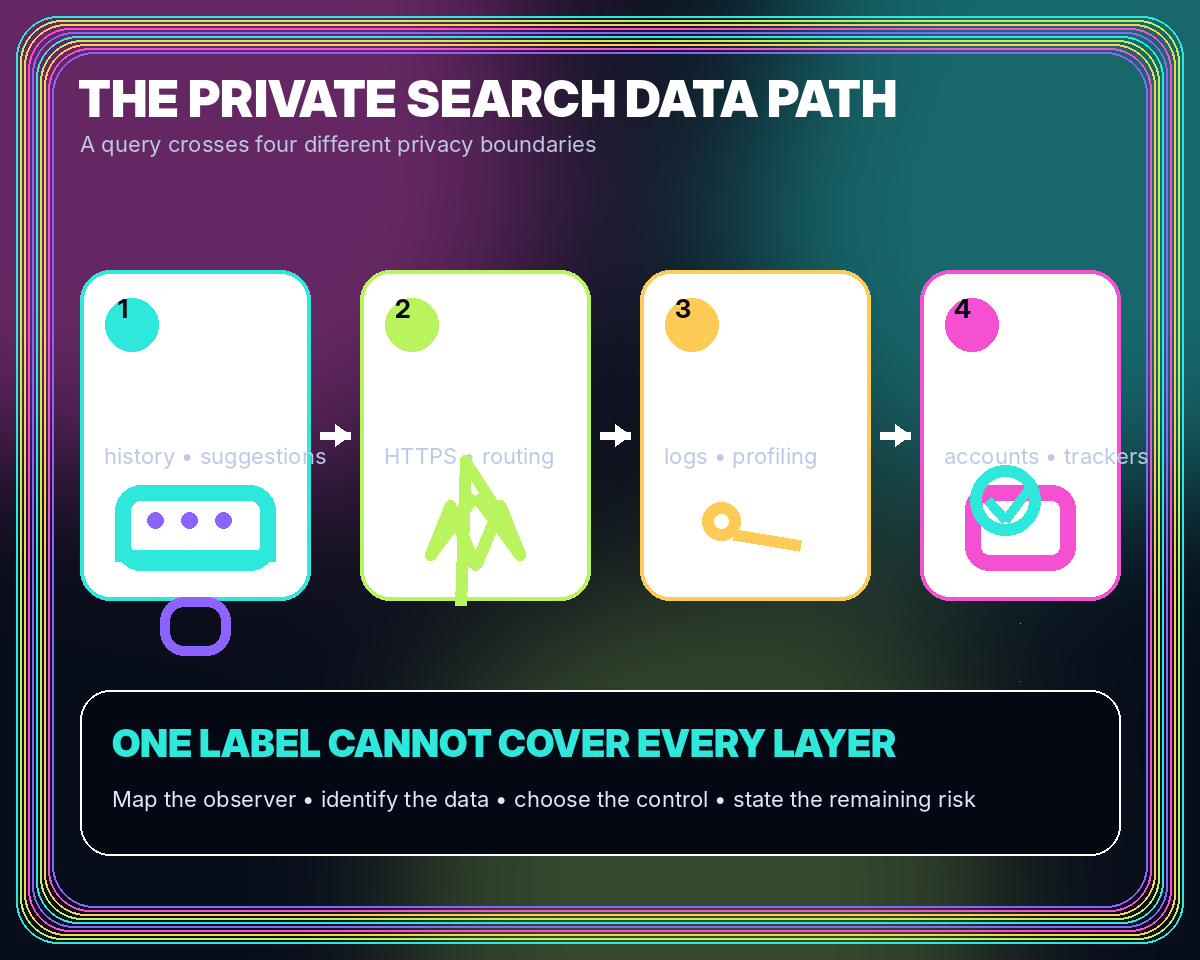
A search can expose information on the device, across the network, at the provider, and on the destination website. These six guides show where each control applies.
Understand query handling, logs, upstream indexes, contextual ads, and what “private” should mean.
Explore private search →Distinguish functional storage and short security logs from cross-session behavioral profiling.
Trace tracking signals →Learn what HTTPS protects in transit and why endpoints can still see or retain search content.
Understand encryption →See how current context can improve relevance without consulting a persistent user history.
Review profiling limits →Control suggestions, permissions, extensions, profiles, local history, and result-page tracking.
Harden browser search →Use a weighted scorecard for collection, retention, ranking, security, governance, and evidence.
Open the framework →A repeatable method
Marketing terms change. A data-flow method remains useful across providers, browsers, and new search technologies.
Identify the browser, network, search endpoint, infrastructure partners, upstream index, and destination.
Look for accounts, cookies, local storage, browser signals, addresses, click redirects, and URL identifiers.
Separate immediate processing, temporary security records, aggregate analytics, and long-term history.
Compare policy language with page behavior, technical documentation, controls, audits, and change logs.
Featured guides
Start with the distinction between private search, no tracking, and a private browser session.

Learn what a private search engine can protect, which data trails still exist, and how to evaluate privacy claims without relying on slogans.

A plain-language guide to cookies, identifiers, click tracking, short-term logs, and the limits of no-tracking search claims.

Private browsing controls local history; private search changes provider-side data practices. Learn where they overlap and where they do not.
Latest from Privacy Search Field Notes
Long-form guides cover privacy claims, browser settings, data-protection principles, and decentralized search trade-offs.

A repeatable scorecard for data collection, retention, ranking, index sources, advertising, security, jurisdiction, usability, and verification.
Harden address-bar search, suggestions, permissions, profiles, storage, extensions, DNS, and result-page behavior without sacrificing basic usability.
Explore distributed indexing, peer visibility, content addressing, resilience, moderation, and why decentralization does not automatically equal anonymity.

Use GDPR principles as an evaluation lens for transparency, data minimization, retention, profiling, rights, and search-provider accountability.
Private browsing controls local history; private search changes provider-side data practices. Learn where they overlap and where they do not.

Learn what a cookie-free search experience changes, what other storage and fingerprinting methods can do, and how to verify a provider’s claim.
Frequently asked questions
No. PrivacySearches.com is an independent educational publication. It does not accept queries, maintain an index, offer accounts, or claim to provide anonymous search.
No. A private search engine changes how the remote provider handles queries. Incognito or private browsing mainly limits what the browser keeps locally after the session.
No. HTTPS encrypts traffic between the browser and search service, but the service receives the query at the endpoint. Anonymity requires additional routing and identity protections.
Yes. A first-party preference or short session cookie can serve a functional purpose without behavioral profiling. Evaluate uniqueness, lifetime, sharing, and server-side use.
It generally means ranking the current query without using a persistent behavioral history tied to the user. Language, region, freshness, and safety settings can still affect results.
Define your use case, identify disqualifiers, then compare collection, retention, profiling, index sources, security, processors, controls, accessibility, and supporting evidence.
Choose with context
Use the comparison framework to document the data you care about, the observers in your threat model, and the evidence a provider offers.